What is a good cm/360? How to measure yours and pick a range
Updated October 13, 2026 · 5-minute read · 5 sections
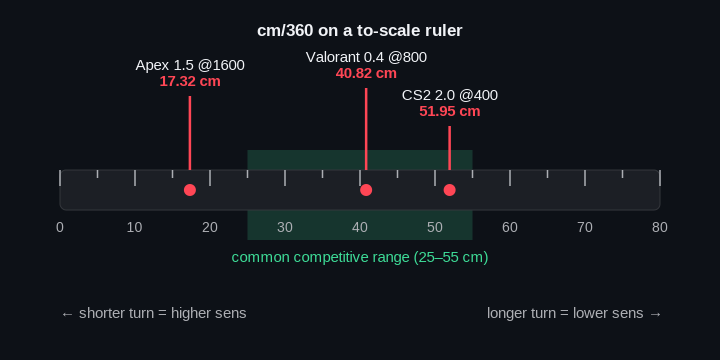
If one full turn takes between 25 and 55 cm of mouse travel, you are where most competitive shooter players sit. Where inside that band you belong depends on the game you play, how you hold the mouse and how much pad you have.
What cm/360 measures
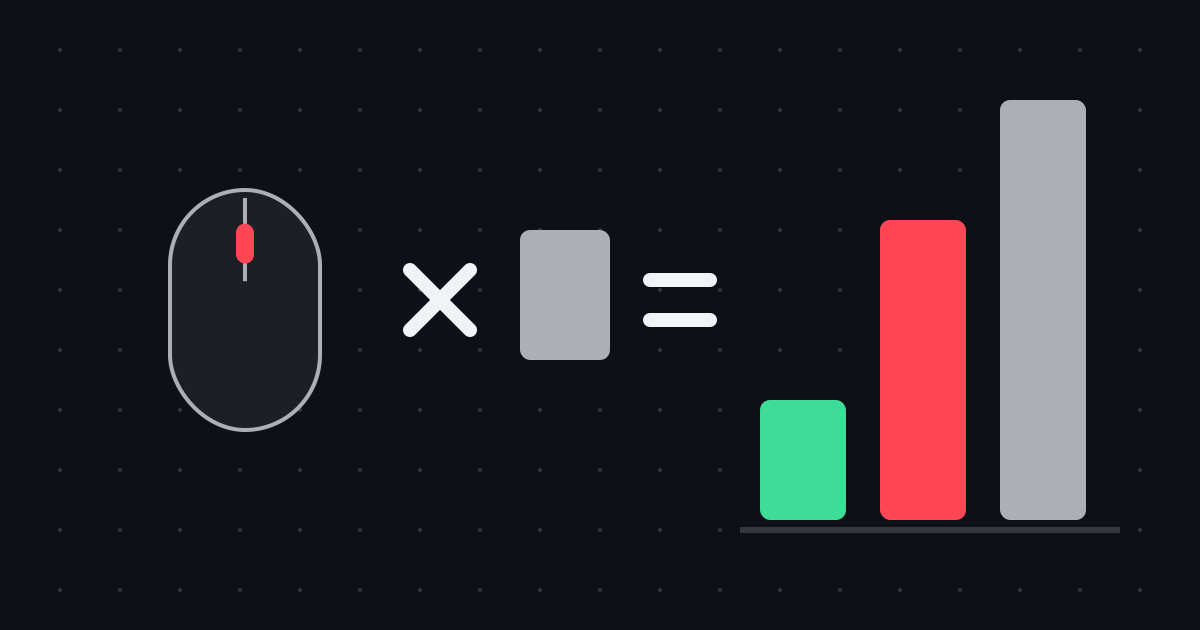
cm/360 is the distance your mouse travels for your view to turn exactly 360 degrees. It combines DPI, in-game sens and the game's own turn constant (yaw) into one physical number:
Example: CS2 at sens 1.0 and 800 DPI. One inch of travel is 800 counts × 0.022° = 17.6°, so a full turn needs 360 ÷ 17.6 = 20.45 in = 51.95 cm. Because it describes your hand rather than a menu value, it is the number to keep when you switch games, mice or DPI.
How to measure your cm/360
For games with a known yaw you can simply type sens and DPI into the sensitivity converter. For any other game, or to double-check, measure it by hand. It takes five minutes.
- Turn off mouse acceleration (Windows "Enhance pointer precision" and any in-game acceleration) and turn raw input on where the game offers it.
- Stick a strip of tape across the mouse pad. Put a ruler or tape measure along the direction you will move.
- In the game, aim the crosshair at a sharp vertical edge: a door frame, a pillar corner. Line up the left edge of the mouse with the tape.
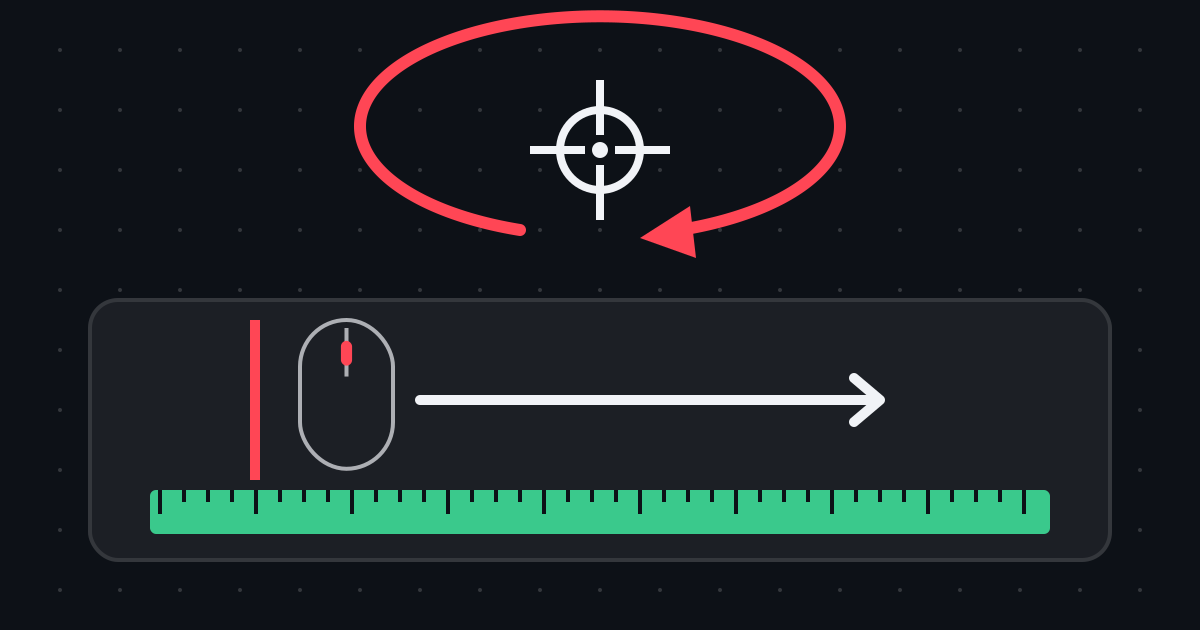
- Move the mouse slowly to the right without lifting it until the same edge comes back under the crosshair after one full turn.
- Read the distance from the tape to the left edge of the mouse. Repeat three times and average; slow, steady movement gives the most consistent readings.
If your pad is too short for a full turn, measure a half turn (180°, the same edge behind you) and double it. Your measurement plus the sens and DPI you used is exactly what the converter's Custom game needs to work out the yaw for games like PUBG, Battlefield or Rust.
Ranges and what they feel like
| cm/360 | Feel | Where I usually see it |
|---|---|---|
| under 20 | Very fast; wrist only, tiny corrections are hard | Rare in competitive play; some building-heavy Fortnite players |
| 20–25 | Fast; big flicks with the wrist | Movement-heavy games, aggressive Apex and Overwatch 2 players |
| 25–40 | Balanced to quick; wrist plus some arm | Tracking shooters: Apex, Overwatch 2, Call of Duty, Fortnite |
| 40–55 | Controlled; arm for turns, wrist for fine aim | Tactical shooters: CS2, Valorant, Siege |
| 55–80 | Slow; full-arm aiming, very stable crosshair | Low-sens tactical players with large pads |
Converter sites tend to suggest 20–80 cm as the sensible span for competitive shooters, and 25–55 cm as the band where most players end up. Outside it you are not wrong, just unusual, and that is worth knowing.
Low sens or high sens for your game
The trade-off is always the same: a longer turn makes small corrections easier, a shorter turn makes big turns and tracking cheaper.
- Tactical shooters (CS2, Valorant, Siege): most fights are a pre-aimed angle and a small correction. Time-to-kill is short and you rarely need a 180. A longer turn, roughly 40–55 cm, rewards that.
- Tracking shooters (Apex, Overwatch 2, Call of Duty, Fortnite): targets strafe, jump and fly, and you get attacked from behind. A shorter turn, roughly 25–40 cm, keeps you from running out of pad.
My starting points when a player asks: about 45 cm for a tactical game, about 32 cm for a tracking game. Play a week, then move in steps of about 10 % if you keep overshooting (go longer) or keep running out of room (go shorter).
Here is what a 10 % step looks like. Valorant at 800 DPI and 45 cm/360 is 914.4 ÷ (45 × 0.07 × 800) = 0.3629. Ten percent longer is 49.5 cm, which needs 0.3629 ÷ 1.1 = 0.3299; ten percent shorter is 40.5 cm at 0.4032. Small steps like that are big enough to notice and small enough to keep your muscle memory. Halving or doubling on a whim throws away weeks of practice.
Grip and posture matter as well. Wrist aimers usually sit at the shorter end because the wrist only covers a few centimetres comfortably; arm aimers can use the long end because the shoulder does the big movements and the fingers do the fine ones. Neither is better, but your cm/360 should match the joint that does most of the work.
Check your pad too. A 180° turn needs half your cm/360, and you want room on both sides. At 50 cm/360 a 180 is 25 cm, so a pad narrower than about 40 cm starts to cramp you.
cm/360 to sensitivity at 800 DPI
Pick a distance and read your sens. Each value is 360 × 2.54 ÷ (cm × yaw × 800).
| cm/360 | CS2 / Apex | Valorant | Overwatch 2 / CoD | Fortnite X/Y |
|---|---|---|---|---|
| 20 | 2.5977 | 0.8164 | 8.6591 | 10.29 % |
| 30 | 1.7318 | 0.5443 | 5.7727 | 6.86 % |
| 40 | 1.2989 | 0.4082 | 4.3295 | 5.14 % |
| 50 | 1.0391 | 0.3266 | 3.4636 | 4.12 % |
| 60 | 0.8659 | 0.2721 | 2.8864 | 3.43 % |
Worked example for 30 cm in Valorant: 914.4 ÷ (30 × 0.07 × 800) = 914.4 ÷ 1680 = 0.5443. At 1600 DPI halve every value. For other DPIs and for Siege, use the Target cm/360 mode on the converter page.
And if you know your cm/360 but the game still feels off after switching, the cause is usually field of view or scope multipliers rather than the hipfire number; see why a converted sensitivity can feel different. For the related eDPI number, see what eDPI is.
Quick answers
What is a good cm/360 for Valorant or CS2?
Most tactical shooter players sit roughly between 40 and 55 cm, many near 45. A start around 45 cm and 10 % steps from there works for most people.
What is a good cm/360 for Apex or Overwatch 2?
Tracking games usually sit shorter, roughly 25 to 40 cm, because targets move a lot and you turn more often.
How do I measure cm/360?
Turn off acceleration, mark a start point on the pad, aim at a sharp edge, and move slowly until the same edge is back under the crosshair. Measure the distance and average three tries.
Does cm/360 change with DPI?
Only if you leave sens the same. cm/360 already includes DPI, so you can keep the same cm/360 at any DPI by adjusting the in-game sens.